


applications
Get to know Kormeeting functions

Use without installation
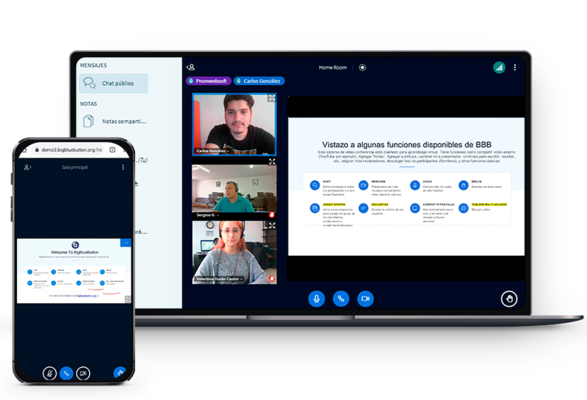
There's no need to install any additional software. You can connect to the Kormeeting platform using a browser on any computer, tablet, or smartphone. You can join the meeting from anywhere; all you need is internet access and a current browser version (preferably Google Chrome or Firefox). From the platform, you can easily share the meeting with other participants via a link.
Connect by video or audio
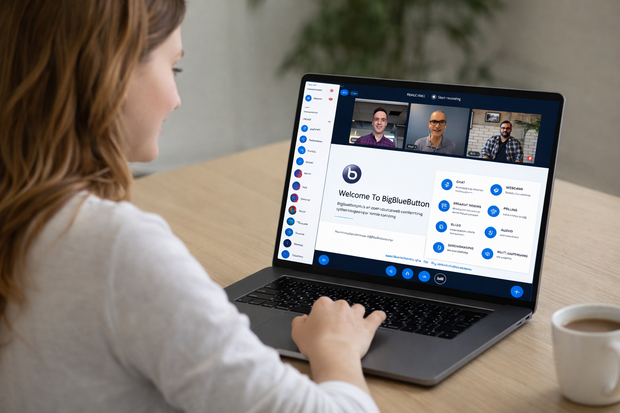
Invite participants to a meeting using a webcam and microphone and maintain constant video and audio contact, making online meetings more effective. Voice calls allow for the participation of up to several thousand people, and you can moderate the meeting, giving the floor to selected participants and controlling the discussion while maintaining full interaction with everyone present.
Use the board
The whiteboard enables effective collaboration during meetings. All participants can simultaneously add their own content, such as text, shapes, or drawings. Highlight key elements of your presentation and allow other participants to create their own notes. Use pre-made shapes or draw your own to help visualize information and make the meeting interactive.
Talk via chat
Chat allows participants to interact and exchange ideas without interrupting the presentation. Participants can ask questions in real time and engage in private conversations with each other. The meeting moderator has full control over the chat – they can clear, copy, or save it at any time, ensuring order and security of communication.
Share video
Enhance your presentations with videos from external platforms like YouTube or Vimeo. Presenters can play, pause, and continue the presentation, helping participants better understand the content. Video helps illustrate the topics being discussed and enhances the overall experience.
Present documents
Enhance your presentations with pre-prepared materials like presentations, charts, and spreadsheets. Use the whiteboard feature to highlight and highlight key information. Supported formats include PDF, DOCX, and ODT. Encourage participants to take notes and collaborate collaboratively to keep the meeting interactive and engaging.
Moderate meetings
Fully manage your conference room—invite and accept individuals, assign speaker roles, and mute participants. If necessary, you can also remove anyone who violates the rules, ensuring a smooth and secure meeting.
Share your screen
At k.pl, you have access to experienced system architects and DevOps specialists who support you at every stage of your project—from planning, through implementation, and maintenance. We offer practical advice, rapid response, and solutions tailored to your needs, regardless of the scale and complexity of your infrastructure.
Run tests
Need reliability? Our servers for public institutions guarantee continuous system operation—no interruptions, no stress. We create scalable IT solutions for government that support the work of offices regardless of their size.
Manage a team
Grant your colleagues meeting permissions, allowing you to organize multiple meetings simultaneously. Each team member will receive unique login credentials, ensuring all recordings and meeting histories remain secure. This way, you can efficiently manage teamwork while maintaining full control over access and the security of stored data.
Save recordings
Record your meetings and lectures in a special format that creates a standalone presentation without desktop views, panels, or chat. Recordings are interactive, include audio, slides, and optional participant views, and can be played back at any time. Share recordings with selected contacts, for example, via email, so everyone has access to the full presentation.